
Landing page or full website: which should you choose?
Start with the decision your visitor needs to make. A landing page suits one focused offer and one main action. A full business website gives visitors separate places to explore several services, your background, project examples, and contact details. Both can work together: a campaign can lead to a focused page while your main website provides broader information.
For example, a restaurant promoting one catering package may use a landing page. A contractor explaining renovation, construction, and design services may need separate service pages. An author launching one book may use a focused launch page alongside an author website. These are planning examples, not client results.
Can a landing page replace my business website?
It can be a practical first step when you have one clear offer. If visitors need different service details, a substantial portfolio, or ongoing resources, plan a broader website. Page count should follow the information visitors need.
Will a landing page bring organic traffic by itself?
Publishing a page does not guarantee discovery or inquiries. It needs useful original content, relevant internal links, accessible contact options, and a distribution plan. Avoid making near-identical pages just to target different keywords.
What should I ask before approving a quote?
Confirm included sections, content responsibilities, form delivery, domain and hosting ownership, revisions, maintenance, and recurring costs. Review our website design and development services or request a project quote with your requirements.
Start with one offer and one next step
A landing page should help a specific visitor understand your service, decide whether it fits, and contact you. Before choosing colors or animations, write down who the page is for, what you offer, and what you want the visitor to do next.
1. Make the first screen answer three questions
What do you do? Who is it for? How can someone take the next step? A useful headline names the service and customer rather than relying on a slogan. For example, a fictional home-renovation business could say, “Kitchen Renovation Consultations for Homeowners in Austin,” followed by a short explanation of what a consultation covers.
Keep the primary button specific: “Request a Consultation” tells visitors more than “Click Here.” The example is a planning illustration, not a claim about a Royal Digital Publishing client.
2. Define what the service includes
Describe the work in plain language. If you show a starting price, explain the starting scope nearby. List important exclusions and what the customer must provide. A visitor should be able to distinguish a single landing page from a full website, or a design package from ongoing marketing management.
For a small service business, five sections can be enough to organize an initial page: offer, service details, examples, process, and contact. That is a planning option, not a rule that every business needs exactly five sections.
3. Show examples with honest context
Use work that helps a visitor judge the service. A restaurant may need menu and inquiry examples; an author may need book presentation and biography examples. Label concept designs clearly. If you use a testimonial, obtain permission and quote it accurately. Do not imply that a design concept is a completed client project or invent performance results.
Our publishing and digital portfolio includes work and concepts across several categories. Match the example to the service you are discussing rather than displaying every project on one page.
4. Make mobile contact straightforward
Read the page on an actual phone. Check whether the headline is readable, buttons are easy to tap, images fit, and the contact route works. If a button opens WhatsApp, label it as WhatsApp. Offer a form or email alternative for visitors who prefer another route.
Use visible field labels and explain any required format. Request the details needed to respond rather than asking for a full project specification in the first form. W3C’s form-label guidance explains why controls need clear, associated labels.
5. Prepare the content before design begins
Collect your logo, final business name, service description, authorized images, public contact details, and preferred action. Include the geographic area you actually serve. If writing or photography is needed, ask whether it is included in the quote. Agree on a revision round and who approves the final copy.
A short brief you can copy
- Audience: Who needs this service, and where do they operate?
- Offer: What exactly can they request?
- Proof: Which approved examples can we show?
- Action: Form inquiry, WhatsApp conversation, or another agreed step?
- Assets: Which text, logo, and images are ready?
- Scope: Required sections, integrations, deadline, and budget.
6. Agree on the handover and total cost
Confirm domain and hosting responsibilities, account ownership, updates, form delivery, paid tools, and additional features. A low starting price is useful only when both sides understand what it covers. An online store, booking system, or customer portal needs its own requirements review.
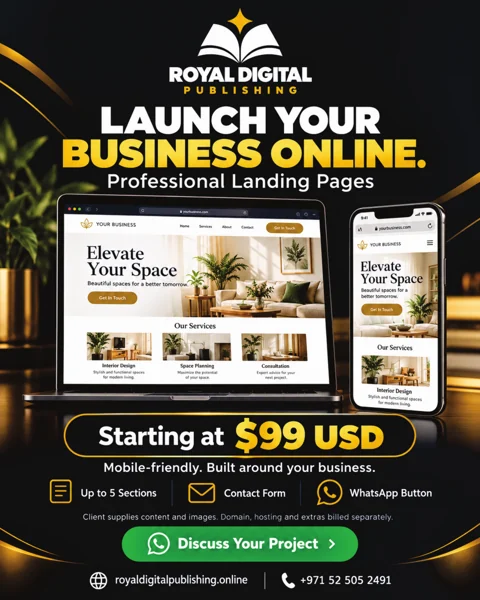
Royal Digital Publishing’s landing page offer starts at $99 USD: one mobile-friendly page with up to five sections, a contact form, a WhatsApp button, and one revision round. The client supplies the logo, copy, and images. Domain, hosting, paid tools, and extra features are billed separately. Confirm current availability and final scope before ordering.
7. Check the route from discovery to inquiry
Open the page from the actual social post or profile link you plan to share. Check its title, preview image, contact options, and confirmation message. Use distinct campaign links when you need to compare sources. Review qualified inquiries alongside visits: a visit count alone does not show whether the audience is a good fit.
A completed page still needs distribution and useful supporting content. It does not guarantee Google rankings, leads, or sales.